Phiên bản MetaDefender Drive Smart Touch v1.8.0 mang đến những cải tiến về khả năng sử dụng của tính năng Lưu trữ Secure . Các cải tiến trong phiên bản này tập trung vào việc giảm thiểu độ trễ trong quá trình vận hành, nâng cao khả năng theo dõi dữ liệu lưu trữ và đảm bảo việc xử lý tệp tin đáng tin cậy hơn trong các môi trường an toàn.
Nâng cao hiệu suất, khả năng theo dõi và quản lý dung lượng của dịch vụ lưu trữ Secure
Tính năng Lưu trữSecure cho phép người dùng lưu trữ tệp trên Smart Touch và chỉ cho phép truy cập các tệp này sau khi chúng đã được quét và xác minh bởi MetaDefender ™.
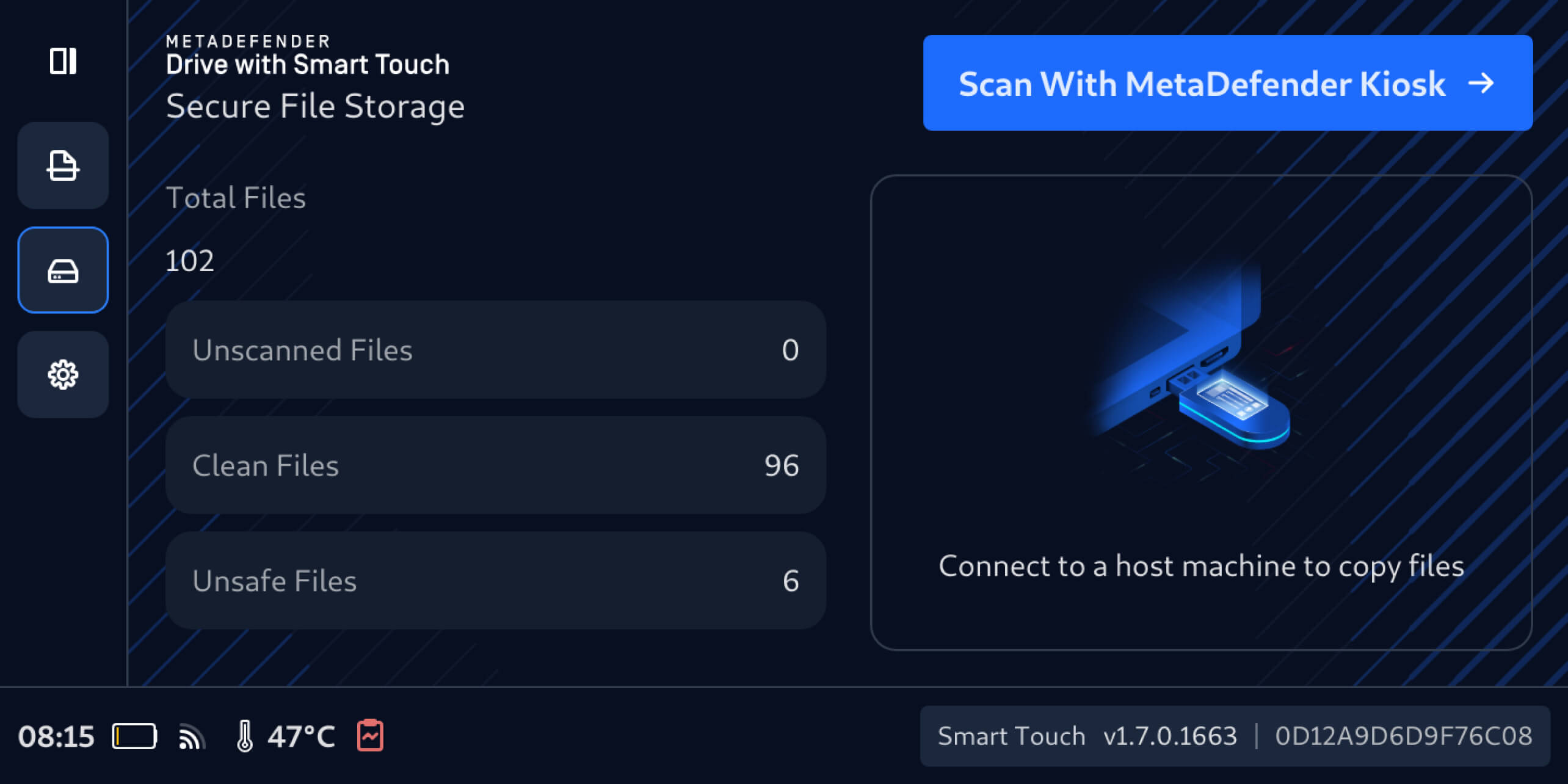
Phiên bản MetaDefender Drive công nghệ Smart Touch này giúp nâng cao khả năng lưu trữ Secure trên các khía cạnh hiệu suất, khả năng theo dõi và quản lý dung lượng, từ đó hỗ trợ người dùng quản lý tệp tin hiệu quả hơn đồng thời duy trì các quy trình làm việc đáng tin cậy.
Khả năng theo dõi dung lượng lưu trữ để quản lý dung lượng và cảnh báo
MetaDefender Drive Smart Touch hiện cung cấp cái nhìn rõ ràng hơn về tình trạng sử dụng Secure Storage trên cả hai phân vùng “Clean Files ” và “Unsafe Files”. Người dùng giờ đây có thể xem tổng dung lượng đã sử dụng và dung lượng còn trống trực tiếp trên giao diện Smart Touch, nhận thông báo khi dung lượng trống không đủ để chia sẻ tệp, đồng thời xóa tệp để giải phóng dung lượng khi cần thiết.
Quản lý tệp trong dịch vụ lưu trữ Secure
Bạn có thể xem các tệp và thư mục hiện đang được lưu trữ trong Secure Storage:
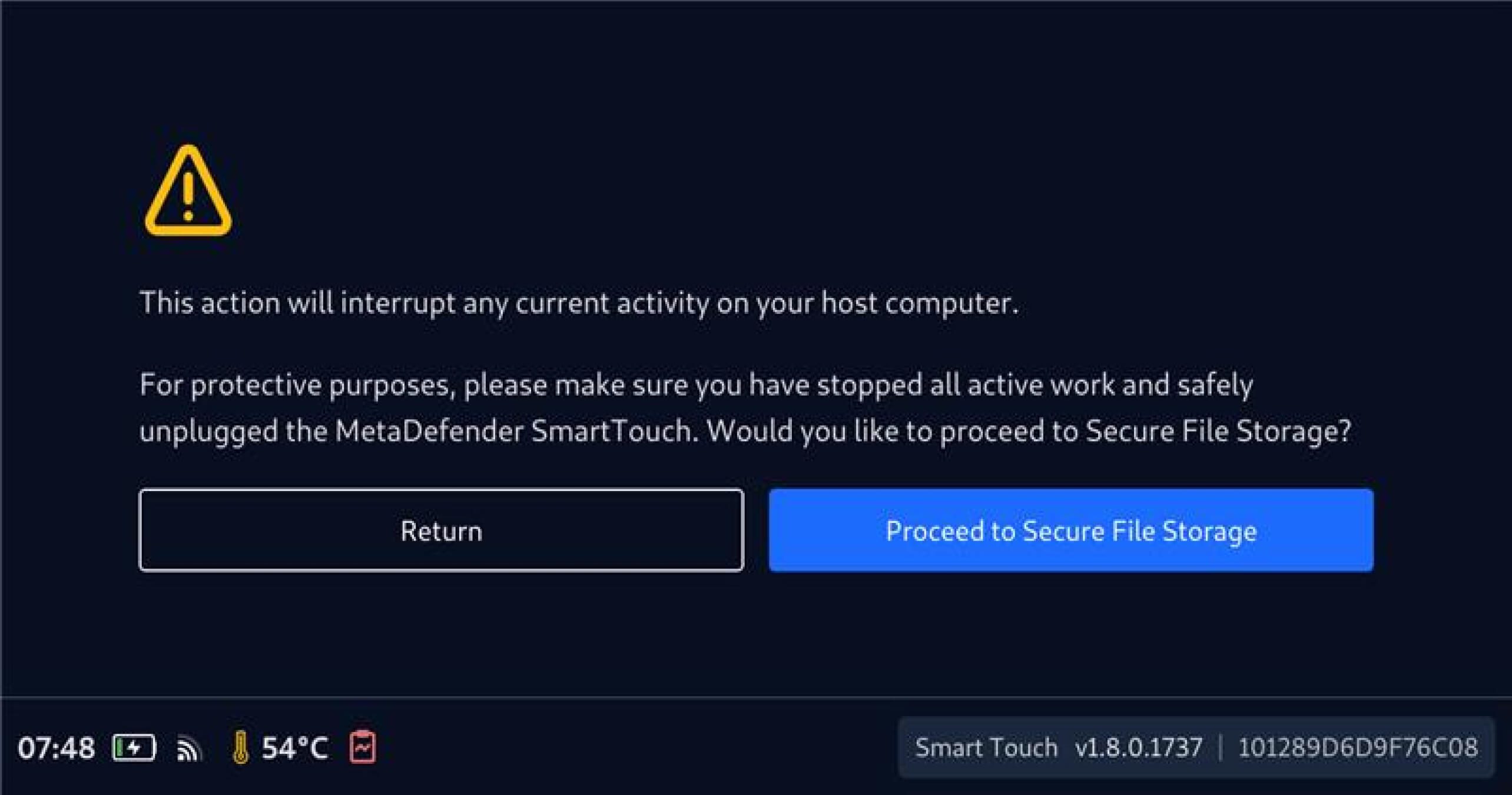
- Nhấn vào biểu tượng đĩa để mở rộng thanh điều hướng bên trái, chọn Secure ”, sau đónhấn vào “Tiếp tục đến Secure ” khi được yêu cầu
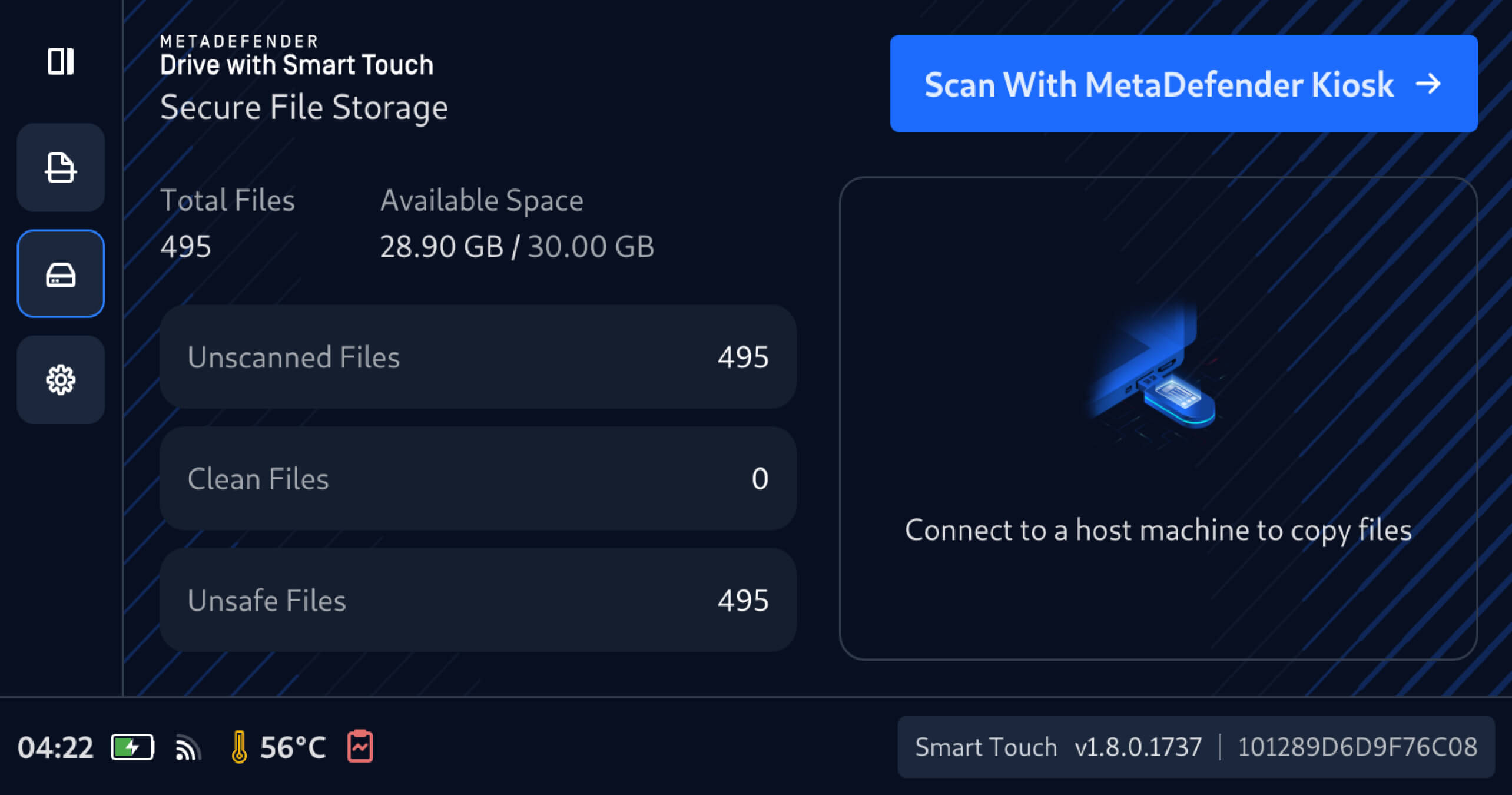
2. Sau khi quá trình tính toán dung lượng tệp đã lưu trữ hoàn tất,mục “Dung lượng trống” sẽđược hiển thị, giúp người dùng dễ dàng nắm bắt tổng dung lượng và dung lượng còn trống của Secure Storage.
3. Nhấn vào biểu tượngTệp chưa quét, Tệp sạch hoặc Tệp không an toàn đểxem chi tiết và dung lượng tệp, kiểm tra nội dung, từ đó đưa ra quyết định sáng suốt về việc chia sẻ hoặc xóa bỏ.
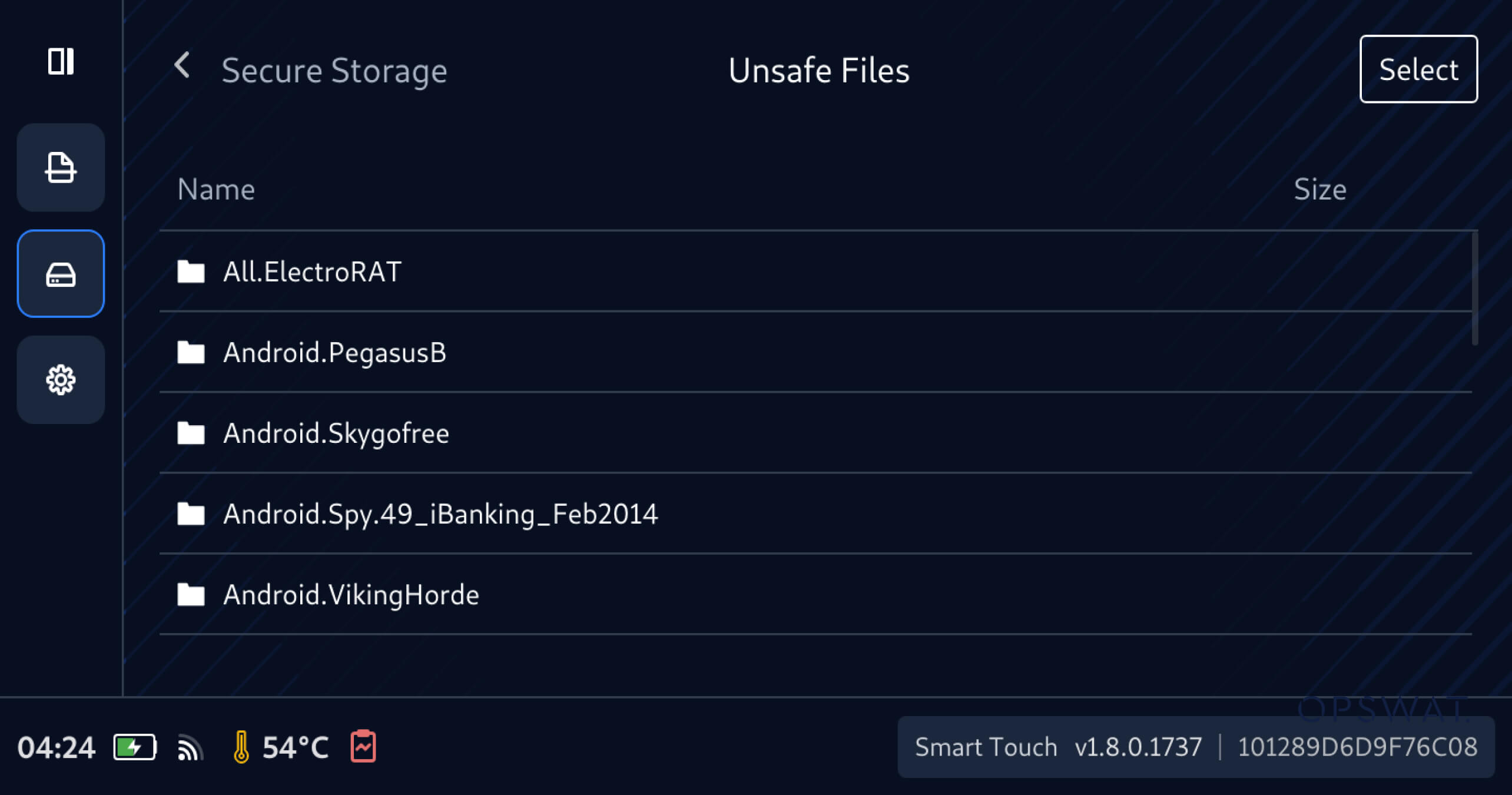
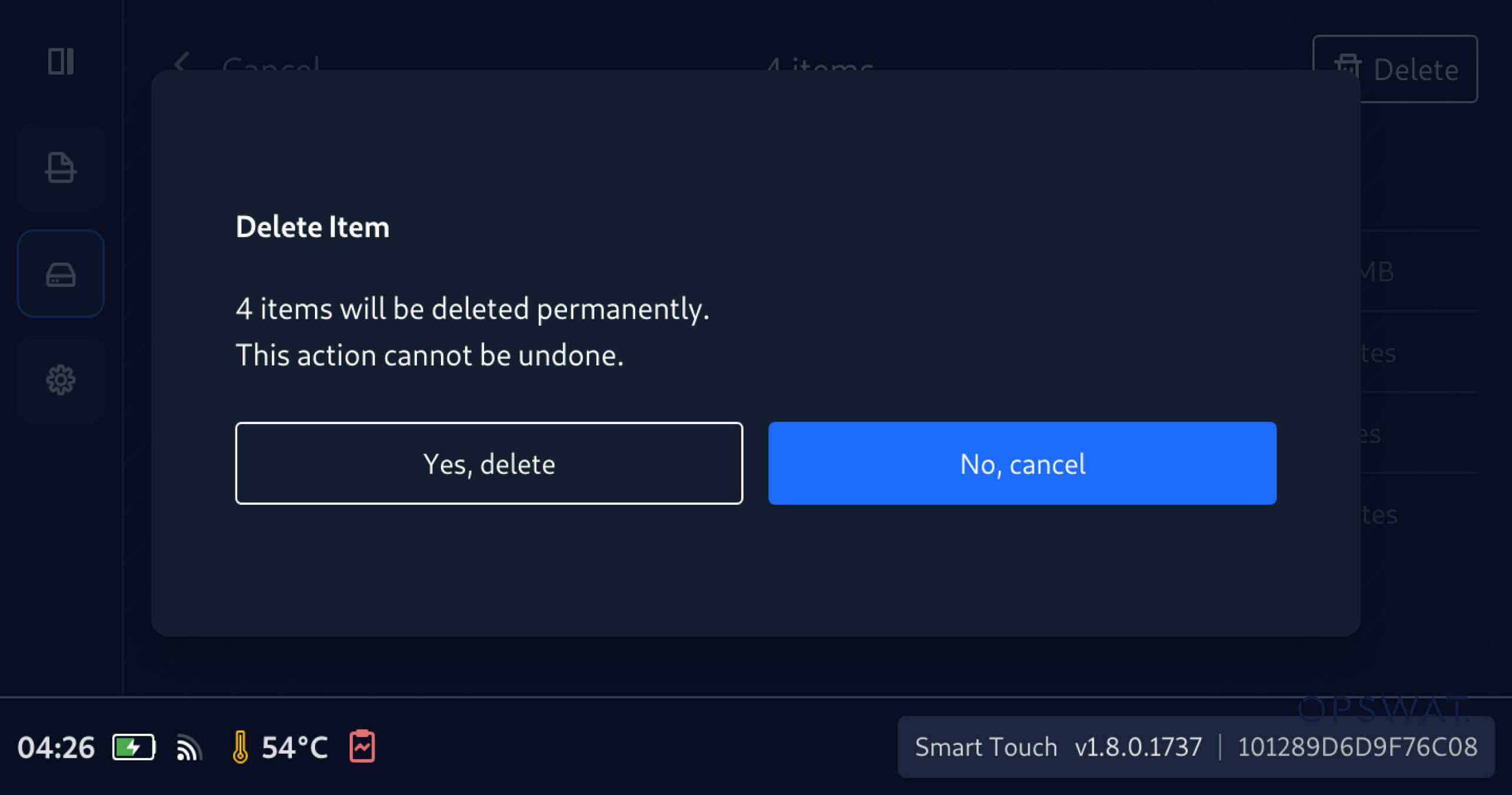
Để chọn và xóa các tệp và thư mục trong Secure Storage:
- Hãy duyệt qua và chọn các ô bên cạnh các thư mục và tệp mà bạn muốn xóa
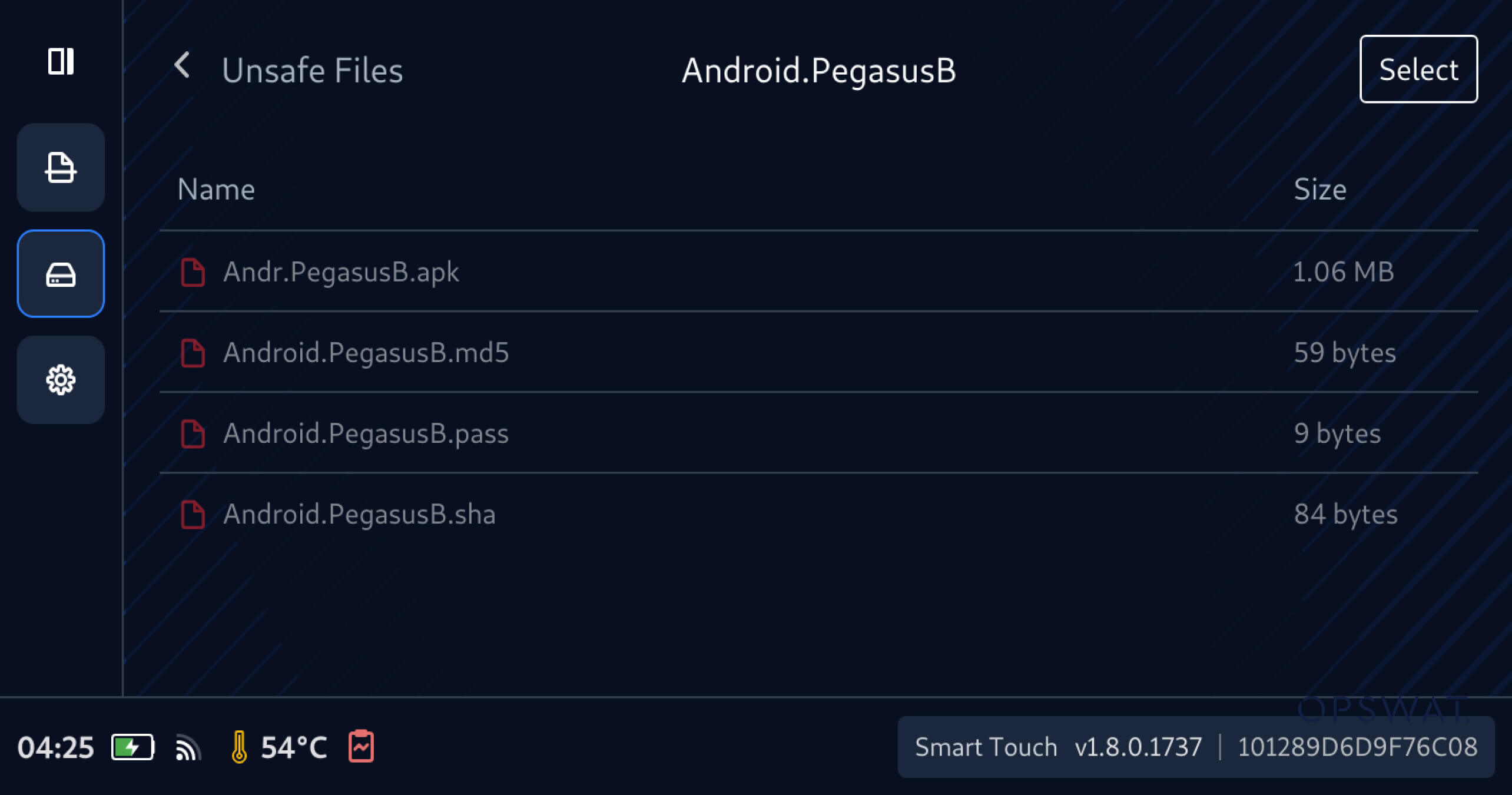
2. Nhấn vào “Có, xóa” để xác nhận xóa vĩnh viễn các tệp đã chọn
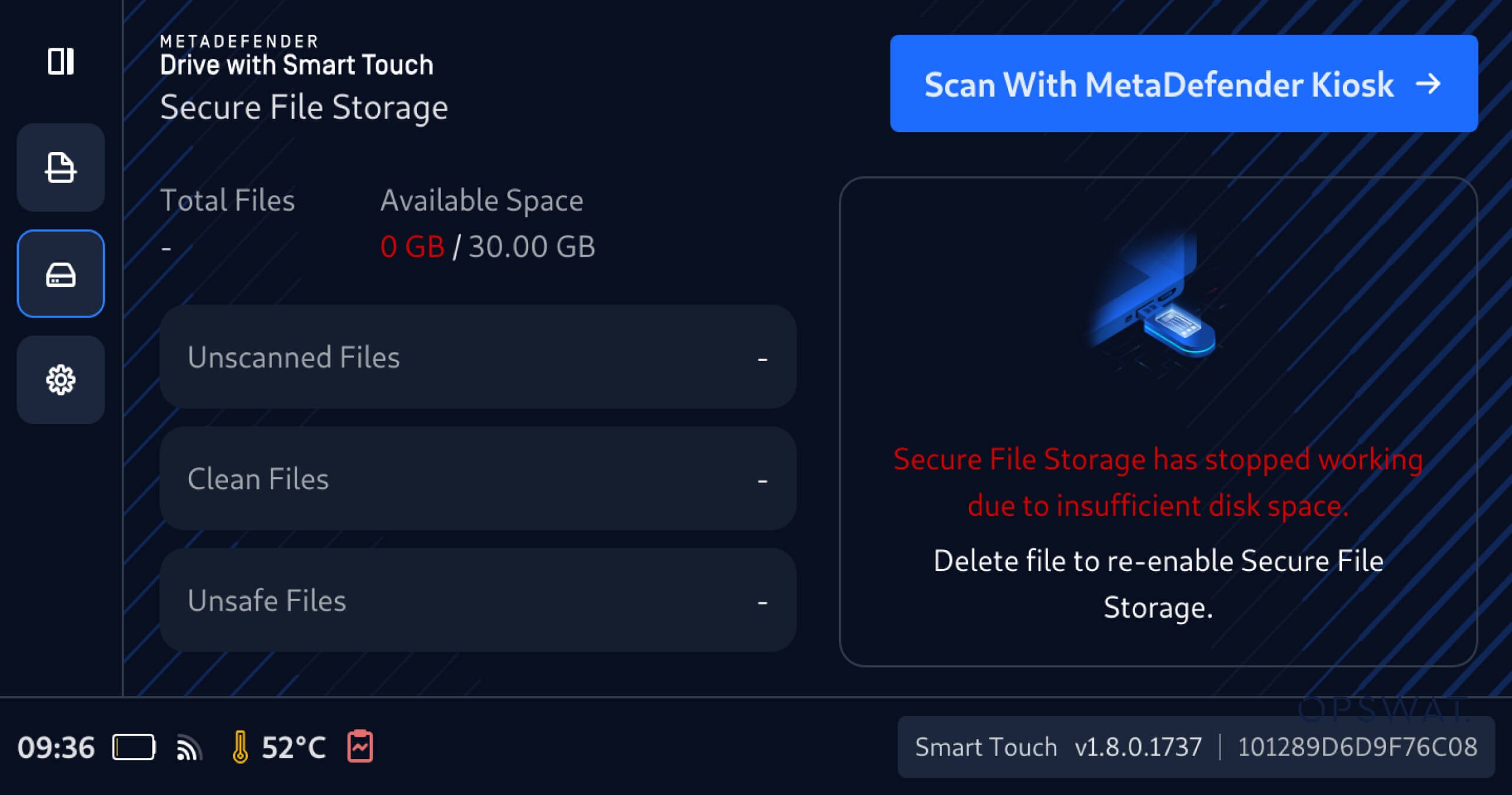
Cảnh báo dung lượng lưu trữ thấp cho dịch vụ lưu trữ Secure
Ngoài ra, MetaDefender Drive tính năng Smart Touch hiện cung cấp thông báo sớm khi dung lượng lưu trữ Secure Storage) sắp cạn kiệt, giúp người vận hành nhận biết sớm tình trạng thiếu dung lượng trước khi chia sẻ tệp và giảm thiểu rủi ro chia sẻ tệp thất bại do giới hạn dung lượng lưu trữ.
Chi tiết phát hành
Sản phẩm: MetaDefender Drive công nghệ Smart Touch
Ngày phát hành: 6 tháng 4 năm 2026
Ghi chú phát hành: Tìm hiểu thêm tại đây
Để cập nhật MetaDefender Drive Smart Touch, hãy nhấnvào Cập nhật hệ thốngtrên màn hình chính để truy cập giao diện cập nhật tập trung.

