MetaDefender Drive .4.3 mang đến những tính năng mới giúp tối ưu hóa hơn nữa việc quản lý thiết bị và nâng cao trải nghiệm sử dụng trong các môi trường có mức độ bảo mật cao. Phiên bản này mở rộng khả năng tích hợp với MetaDefender và bao gồm một số cải tiến về trải nghiệm người dùng, nhằm đơn giản hóa các hoạt động hàng ngày cho các đội ngũ vận hành công nghệ (OT) và quản trị viên.
Cập nhậtDrive MetaDefender qua MetaDefender Kiosk
Trong các phiên bản trước, MetaDefender Drive kết nối với MetaDefender Kiosk đồng bộ hóa các báo cáo quét với My Central Management cập nhật các công cụ quét phần mềm độc hại. Phiên bản này cho phépDrive MetaDefender Drive duy trìDrive MetaDefender Drive luôn được cập nhật thông qua MetaDefender Kiosk, từ đó mở rộng khả năng tích hợp trong MetaDefender , giảm bớt các thao tác thủ công và hỗ trợ chế độ hoạt động độc lập.
Giờ đây, người dùng có thể thực hiện nâng cấpDrive MetaDefender Drive trực tiếp thông qua MetaDefender Kiosk:
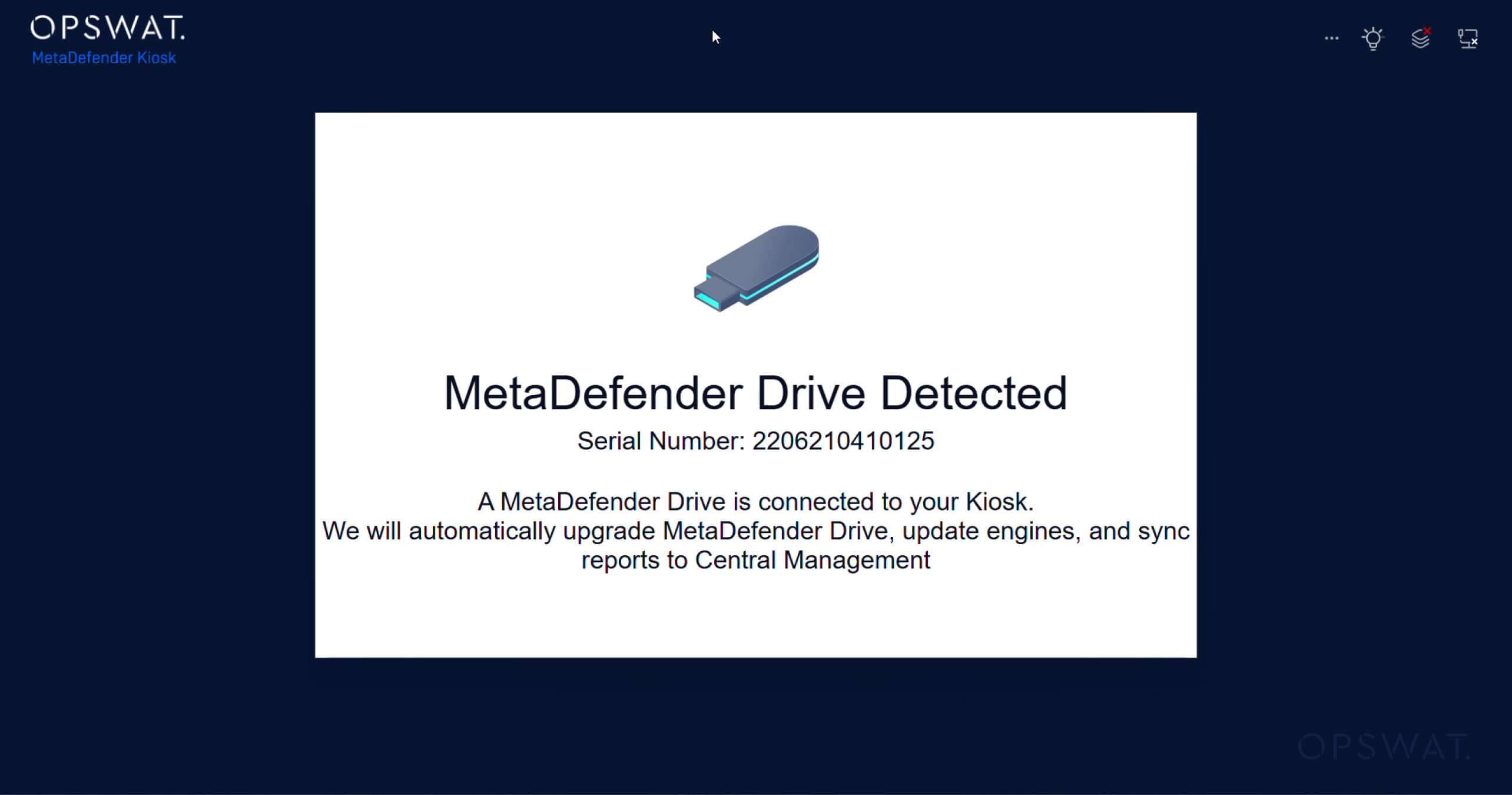
1. Cắm ổDrive MetaDefender Drive thiết bị MetaDefender Kiosk; thiết bị này sẽ tự động nhận diệnDrive MetaDefender đã kết nốiDrive hiển thị thông báo
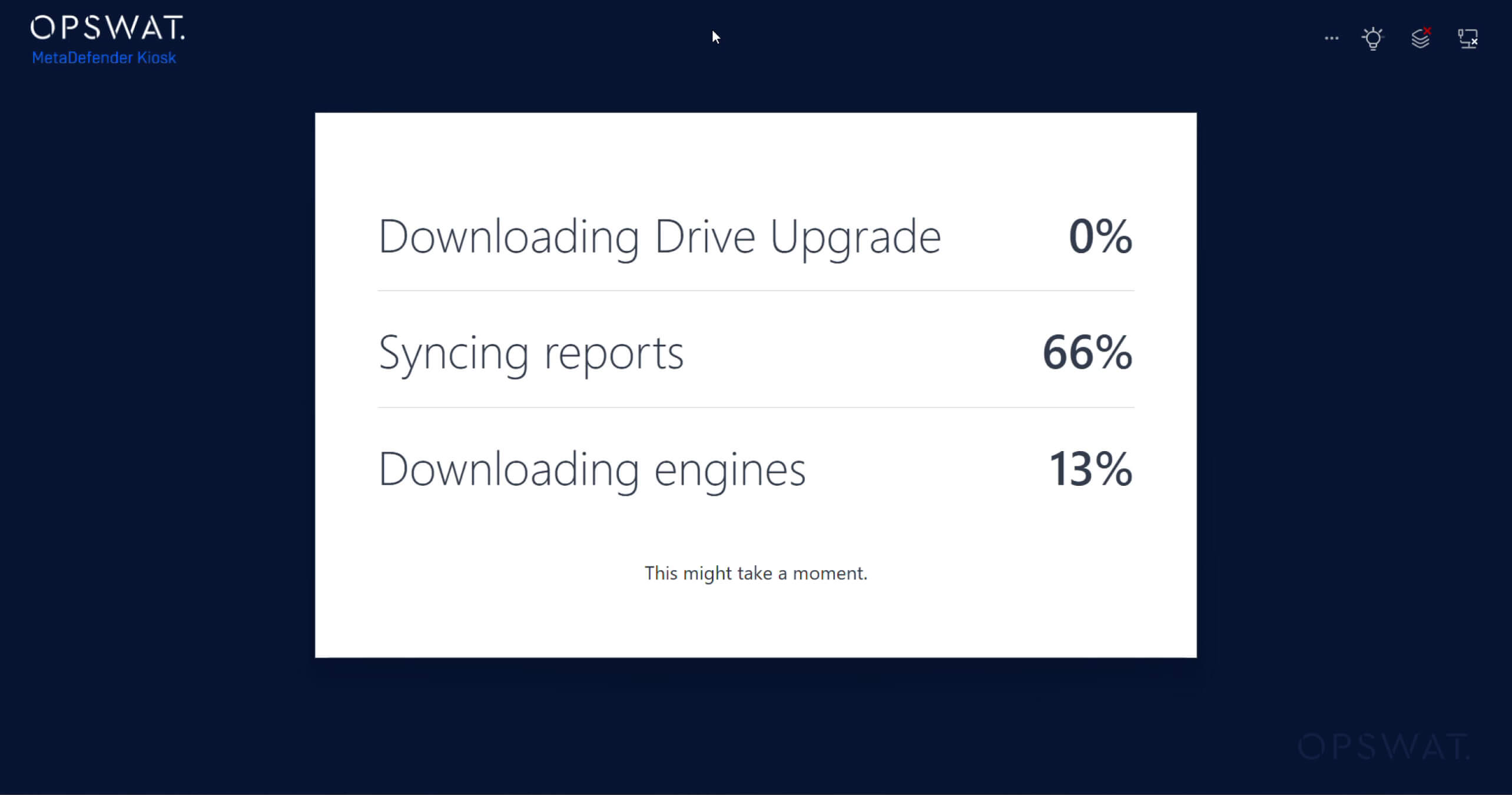
2. Quá trình đồng bộ hóa sẽ tự động bắt đầu, bao gồm:
- Đồng bộ hóa báo cáo quét với My OPSWAT Central Management
- Cập nhật công cụ chống phần mềm độc hại
- Cập nhậtDrive MetaDefender
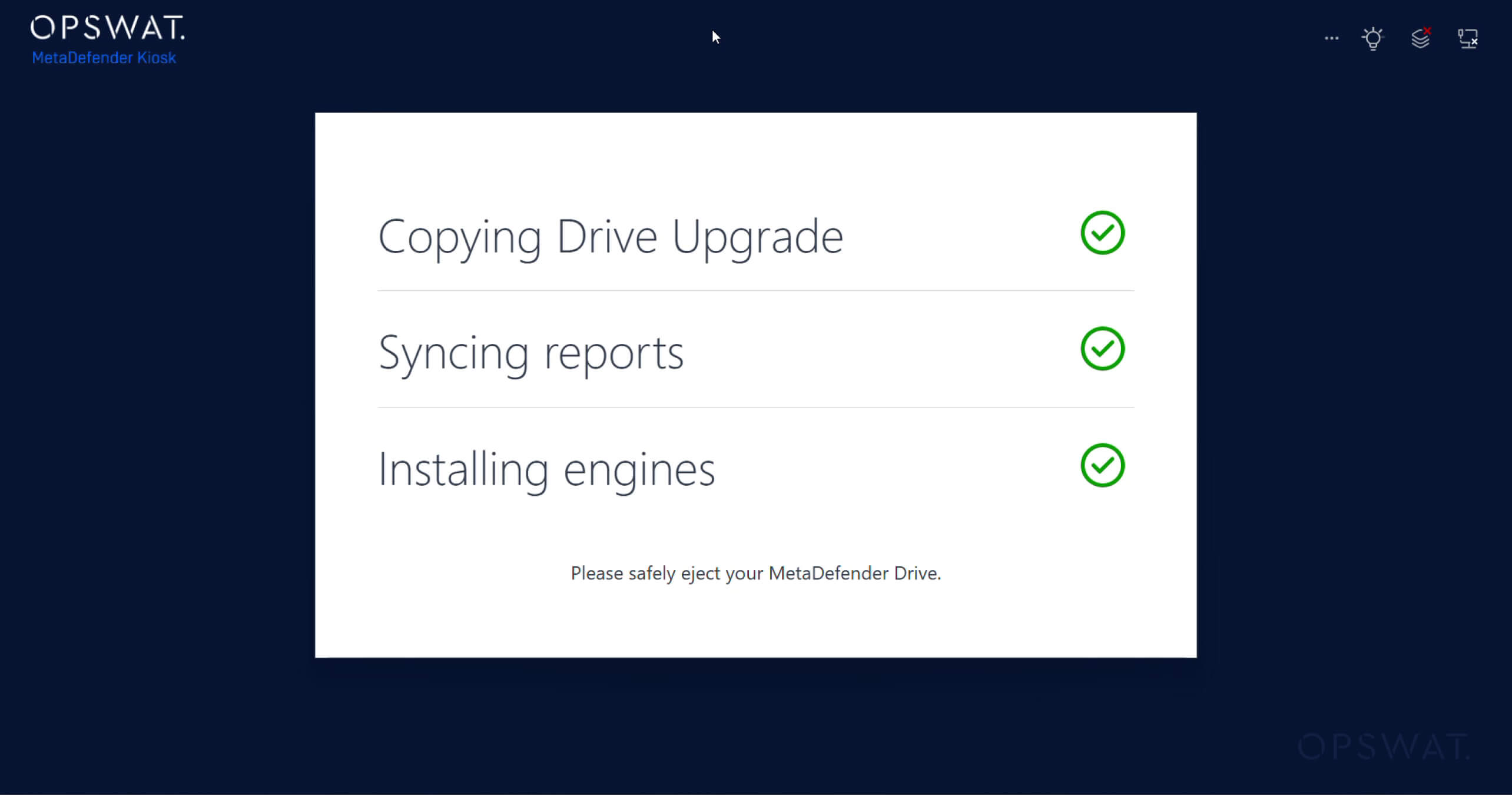
3. Xem quá trình đồng bộ hóa và cập nhật đã hoàn tất trênKiosk MetaDefender Kiosk :
Tự động dọn dẹp các tệp tạm thời sau khi quét
MetaDefender Drive tự động xóa các tệp tạm thời được tạo ra trong quá trình quét. Tính năng dọn dẹp tự động này giúp giải phóng dung lượng đĩa và duy trì khả năng sử dụng bộ nhớ tối ưu trên thiết bị. Đối với các môi trường mà thiết bị được quét thường xuyên, cải tiến này giúp đảm bảo việc sử dụng dung lượng đĩa hiệu quả và giữ cho thiết bị luôn sẵn sàng hoạt động liên tục mà không cần bảo trì thủ công.
Các chỉ báo trạng thái động cơ được cải tiến
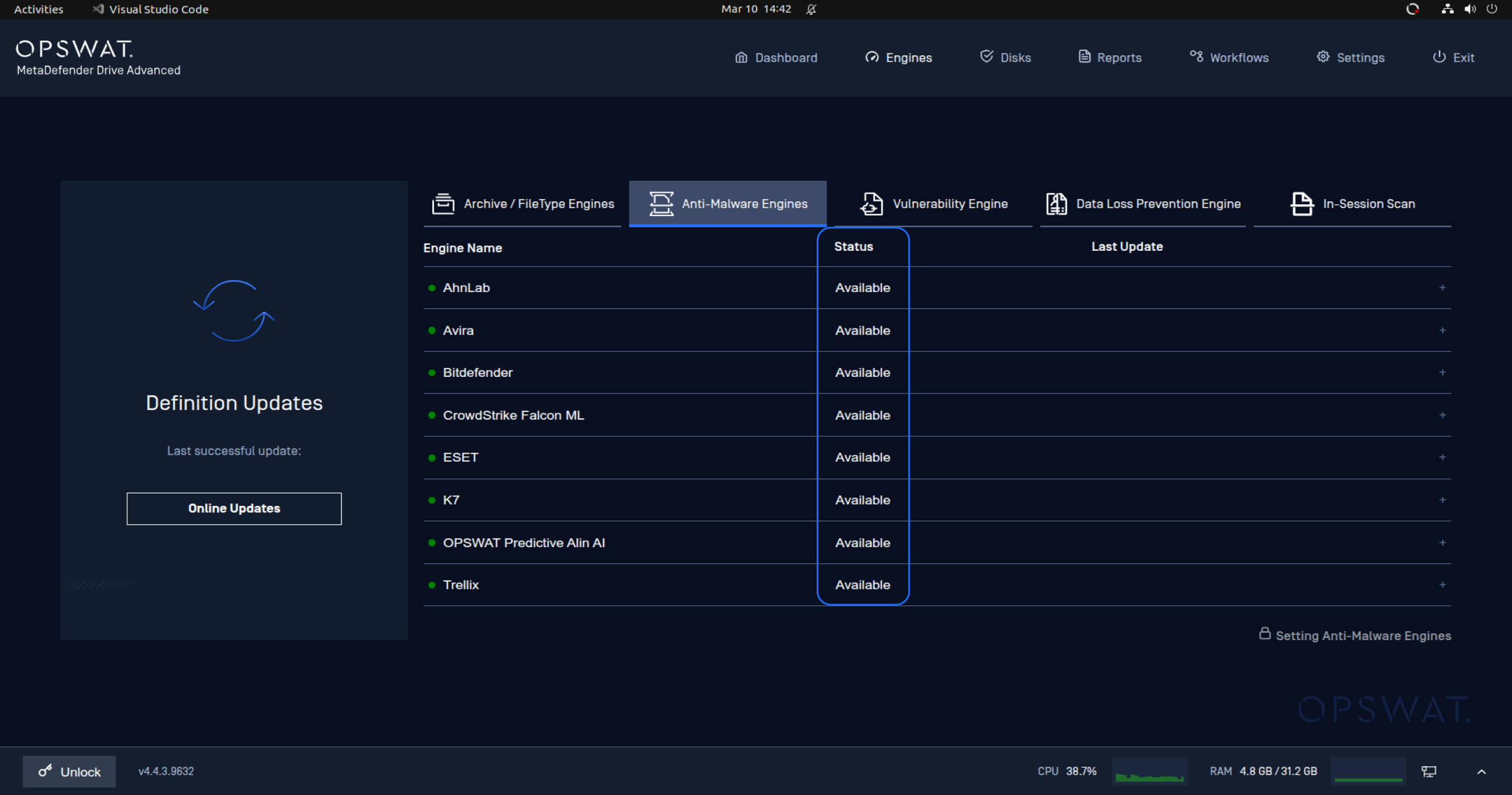
Các chỉ báo trạng thái của bộ quét đã được cập nhật để cung cấp thông tin rõ ràng và trực quan hơn về tình trạng sẵn sàng của các bộ quét phần mềm độc hại. Các trạng thái trước đây, như “Đã tắt” hoặc “Đang tải xuống”, đã được thay thế và đơn giản hóa để chỉ hiển thị trạng thái “Sẵn sàng”, kèm theo biểu tượng trạng thái màu xanh lá cây khi các bộ quét đã sẵn sàng để sử dụng.
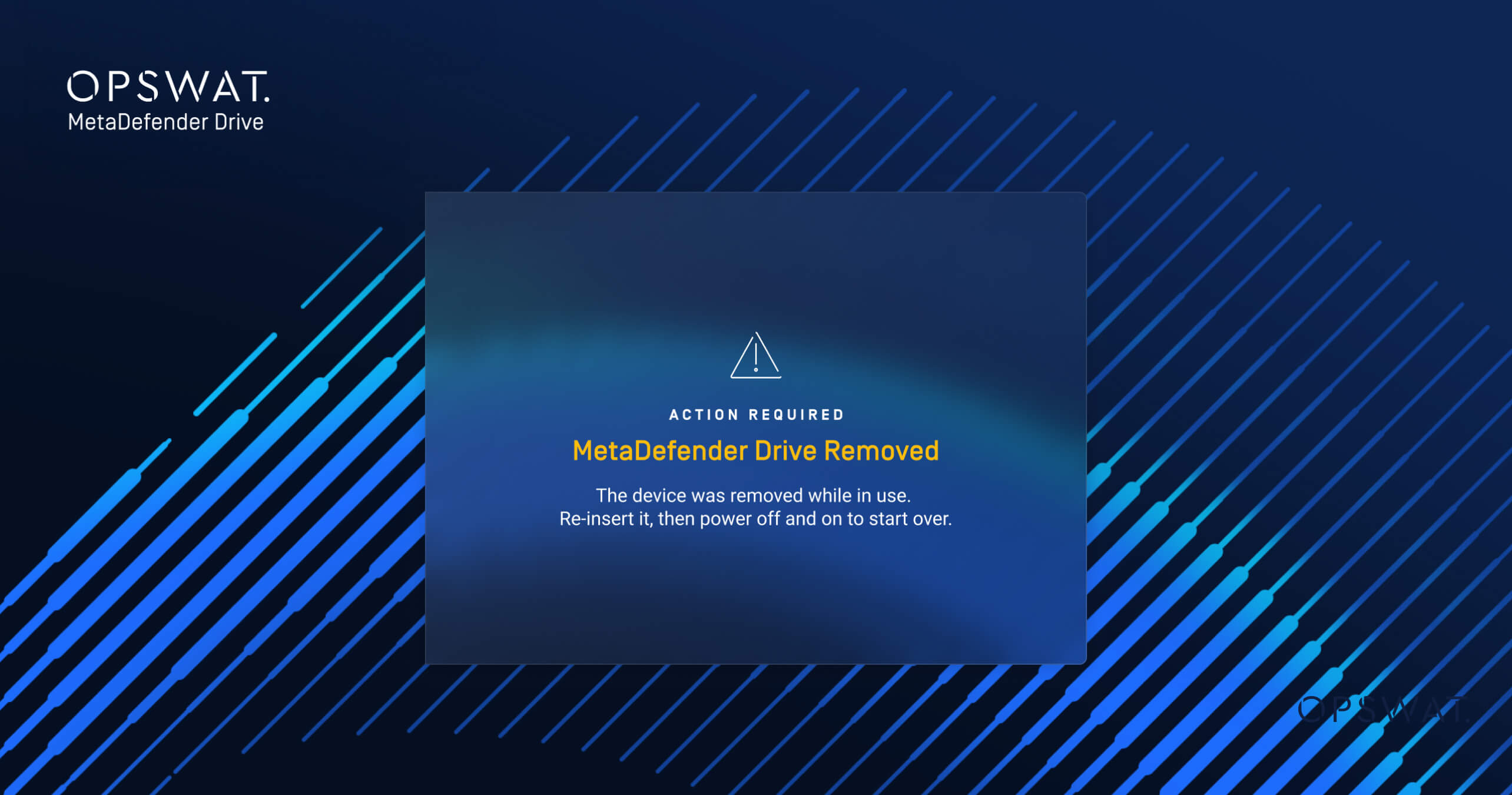
Hiển thị thông báo lỗi rõ ràng khi tháoDrive MetaDefender
Bản cập nhật này cũng bao gồm một thông báo mới dành cho người dùng khiDrive MetaDefender Drive ngắt kết nối trong quá trình hoạt động. NếuDrive MetaDefender Drive ngắt kết nối trong khi một tác vụ đang được thực hiện, hệ thống hiện sẽ hiển thị một thông báo lỗi rõ ràng cho biết cần phải khởi động lại máy tính và tác vụ đang thực hiện đã bị tạm dừng.
Chi tiết phát hành:
- Sản phẩm: MetaDefender Drive
- Ngày phát hành: 17 tháng 3 năm 2026
- Ghi chú phát hành: Tìm hiểu thêm tại đây
Để cập nhậtMetaDefender Drive, hãy tải xuống phiên bản mới nhất củaMetaDefender Drive và làm theohướng dẫn cài đặt.

