MetaDefender Drive Phiên bản v4.4.1 giải quyết thách thức này trong việc giữ cho các công cụ bảo mật và báo cáo quét luôn được cập nhật trong môi trường không kết nối mạng mà không gây ra rủi ro vận hành hoặc độ phức tạp bổ sung. Phiên bản này giới thiệu một tính năng tự động đồng bộ hóa cả các công cụ và báo cáo với My OPSWAT Central Management , thông qua MetaDefender Kiosk mà không cần kết nối MetaDefender Drive đến máy trạm hoặc trực tiếp đến internet.
Công cụ đồng bộ và báo cáo với My OPSWAT Central Management thông qua MetaDefender Kiosk
MetaDefender Drive Phiên bản v4.4.1 cung cấp quy trình đồng bộ hóa được tối ưu hóa, cho phép người dùng đã đăng ký MetaDefender Drive để tự động đồng bộ hóa cả các bản cập nhật động cơ và báo cáo quét thông qua một MetaDefender Kiosk Khi một MetaDefender Drive đã đăng ký My OPSWAT Central Management được cắm vào MetaDefender Kiosk có liên quan đến My OPSWAT Central Management , môi trường tại chỗ hoặc kết nối:
- Các công cụ chống phần mềm độc hại mới nhất được tự động đồng bộ hóa với My OPSWAT Central Management
- Báo cáo quét được tự động đồng bộ hóa với My OPSWAT Central Management
Cách thức hoạt động
Quy trình sau đây được thiết kế để hỗ trợ các quy trình vận hành đơn giản, tự động và được đồng bộ hóa tốt:
- Kết nối một MetaDefender Drive chạy MetaDefender Kiosk với một My OPSWAT Central Management tích hợp.
- MetaDefender Kiosk phát hiện phần tử được chèn vào MetaDefender Drive và tự động khởi động động cơ và đồng bộ hóa báo cáo.
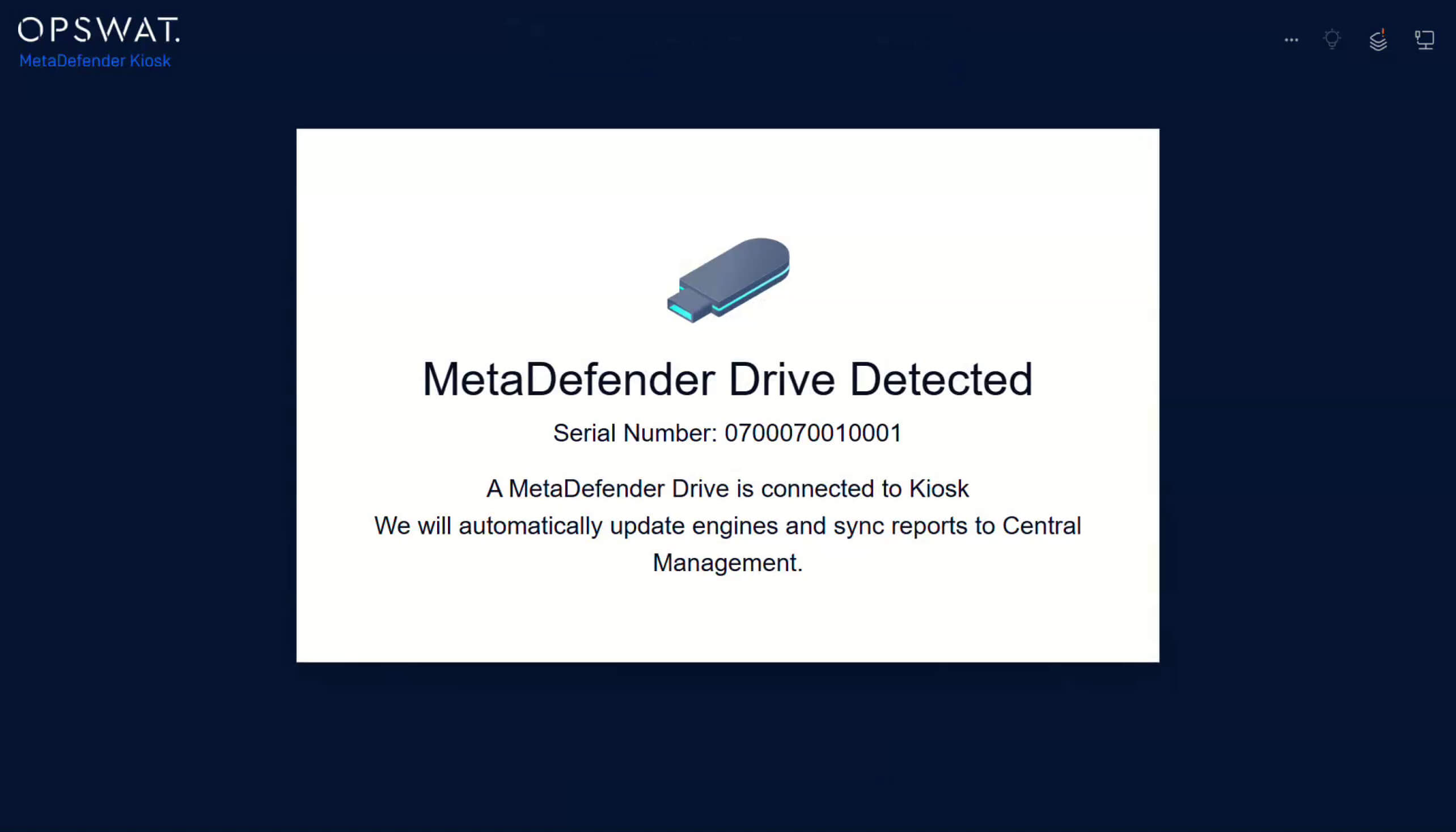
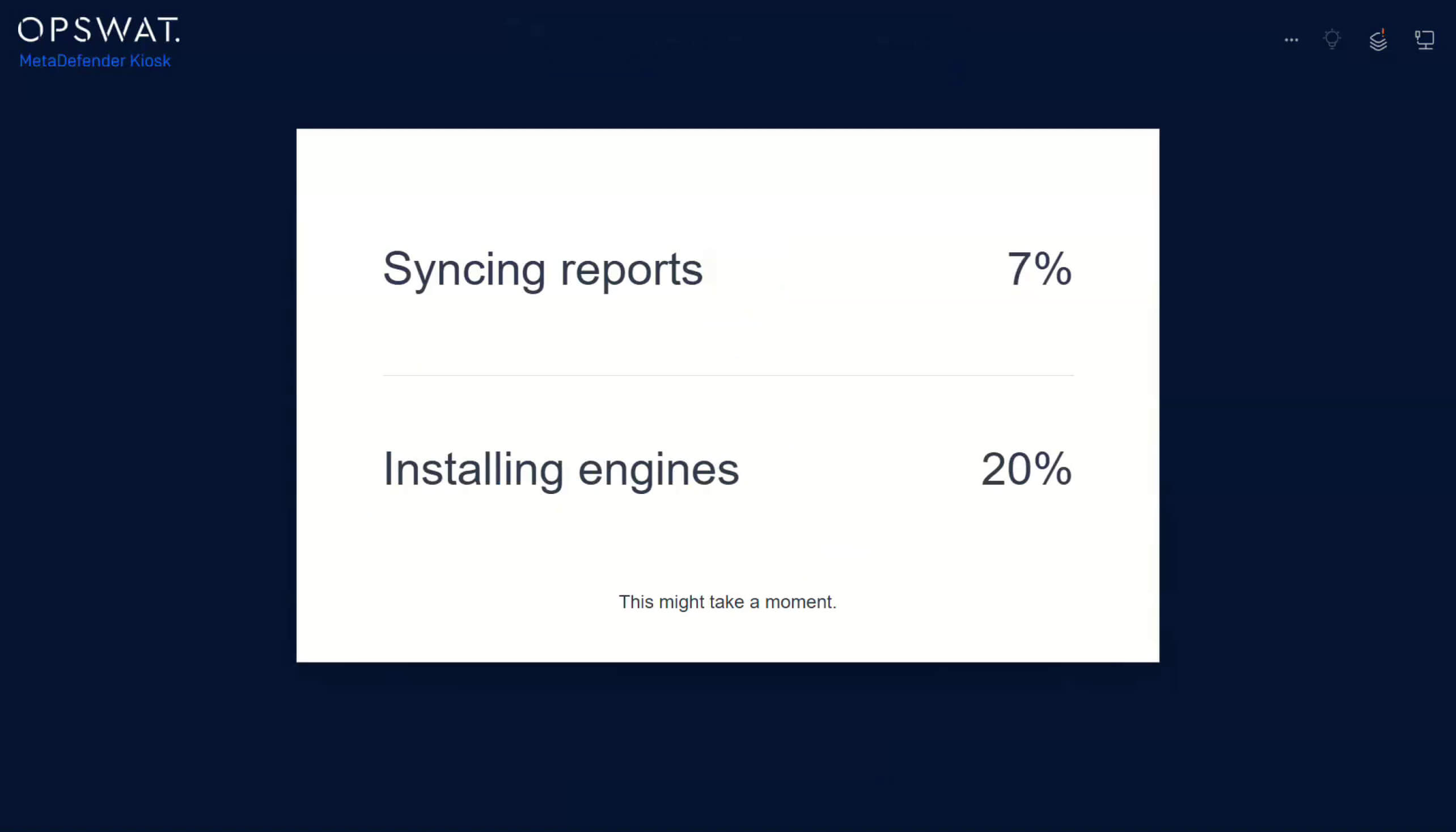
3. Tiến trình đồng bộ hóa với My OPSWAT Central Management sẽ có thể truy vết từ MetaDefender Kiosk giao diện.
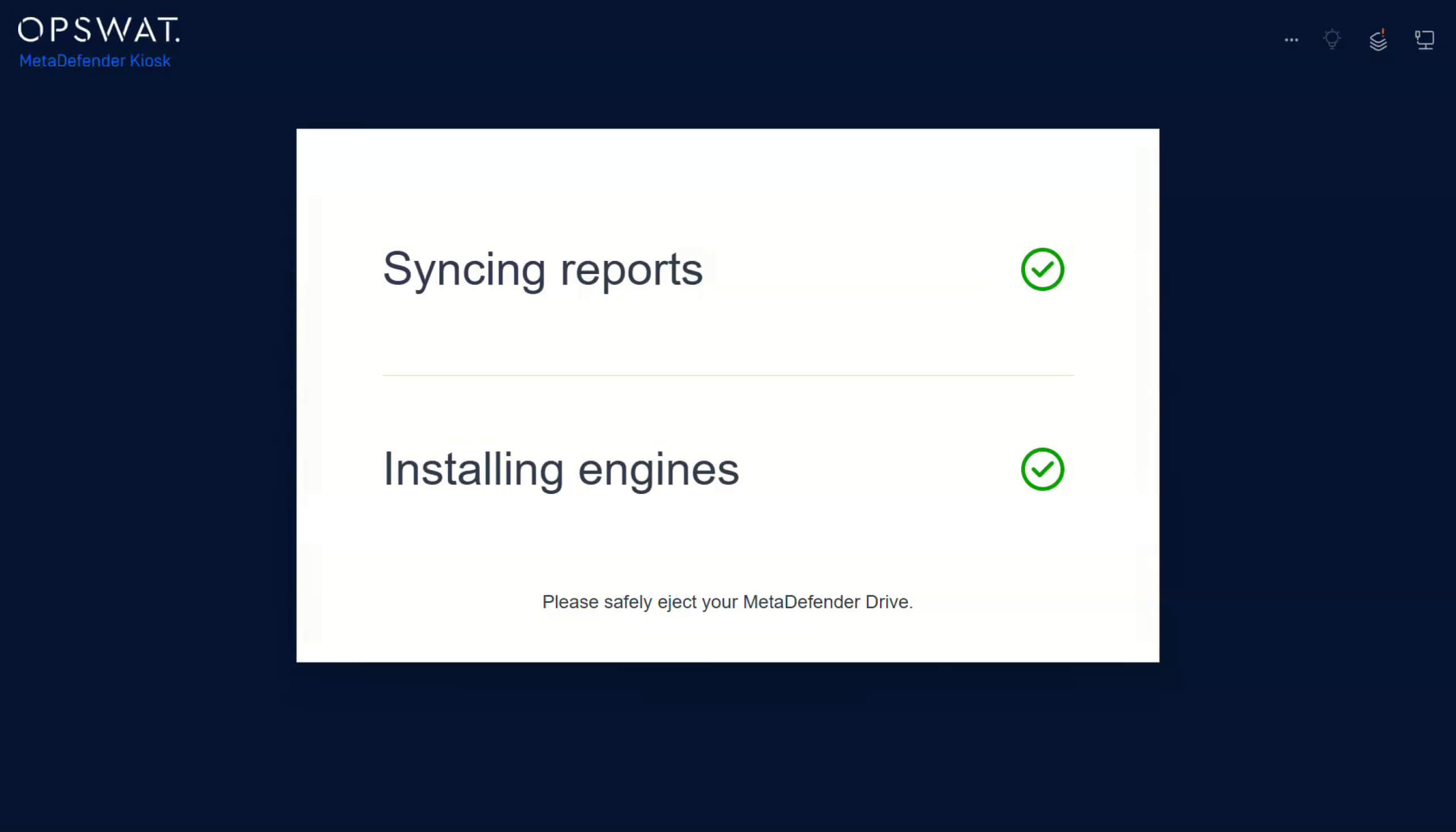
4. Sau khi cập nhật xong, hãy rút phích cắm một cách an toàn. MetaDefender Drive và tiếp tục hoạt động.
Được thiết kế để đảm bảo hoạt động Secure có khả năng mở rộng
Trong môi trường OT và những môi trường được quản lý chặt chẽ, quy trình cập nhật thủ công làm tăng nguy cơ lỗi thời về khả năng phát hiện, cấu hình không nhất quán và lỗ hổng kiểm toán. Bằng cách giới thiệu quy trình đồng bộ hóa tự động này, các tổ chức sẽ đạt được:
- Phiên bản động cơ nhất quán trên tất cả các ổ đĩa đã đăng ký.
- Khả năng giám sát tập trung đối với hoạt động quét và báo cáo trong My OPSWAT
- Giảm chi phí vận hành nhờ tính năng đồng bộ hóa tự động.
Chi tiết phát hành:
- Sản phẩm: MetaDefender Drive
- Ngày phát hành: 27 tháng 1 năm 2026
- Ghi chú phát hành: Tìm hiểu thêm tại đây
Để cập nhật MetaDefender Drive Hãy tải xuống phiên bản mới nhất của MetaDefender Drive Toolkit và làm theo hướng dẫn cài đặt.
- Từ khóa: MetaDefender Drive

